Internet Explorer 6 for Mac Free Download Updated
Internet Explorer 6 for Mac Free Download
If you lot've just recently switched from PC to Mac, you've probably noticed that instead of Net Explorer or Edge that you're used to, Mac has its own proprietary browser chosen Safari. In fact if you try searching for "download Cyberspace Explorer for Mac" you'll apace realize that the exact IE equivalent on Mac doesn't be. What practice you practice then?
Interestingly, at the dawn of the world wide web in the tardily 90s, Internet Explorer was the default browser on all Macs. But when Apple introduced Safari equally the new default browser in 2003, Microsoft has decided to discontinue the evolution of IE for Mac shortly later. So unless you run Mac Os X ten.6 or earlier (why would you?), there is no mode to direct install Internet Explorer on Mac. And you lot definitely shouldn't use the Net Explorer versions from pre-2003 correct now.
How To Use Internet Explorer on Mac
Although natively launching Net Explorer on Mac isn't possible, there are other means to simulate IE for Mac experience. You could mask Safari equally different versions of Internet Explorer or Microsoft Edge, yous could too install a virtual machine and launch IE for Mac that manner, or y'all could merely cull to use any other third-political party browser available on macOS.
Simulate Internet Explorer on Mac with Safari
Important: Safari can simulate Internet Explorer on macOS Mojave or earlier. On Large Sur, Catalina, or Monterey, it'due south merely possible to simulate Border.
Well-nigh of the time, if you need to employ Cyberspace Explorer on Mac, it's probably for testing purposes, to see how certain websites or spider web apps perform, or to access websites that crave y'all to apply IE (aye, those withal exist). Both of those utilise cases could be easily performed by Safari. To employ Cyberspace Explorer with Safari, y'all simply demand to turn on developer tools:
- In Safari, go to Preferences > Advanced
- Bank check "Testify Develop menu in menu bar"
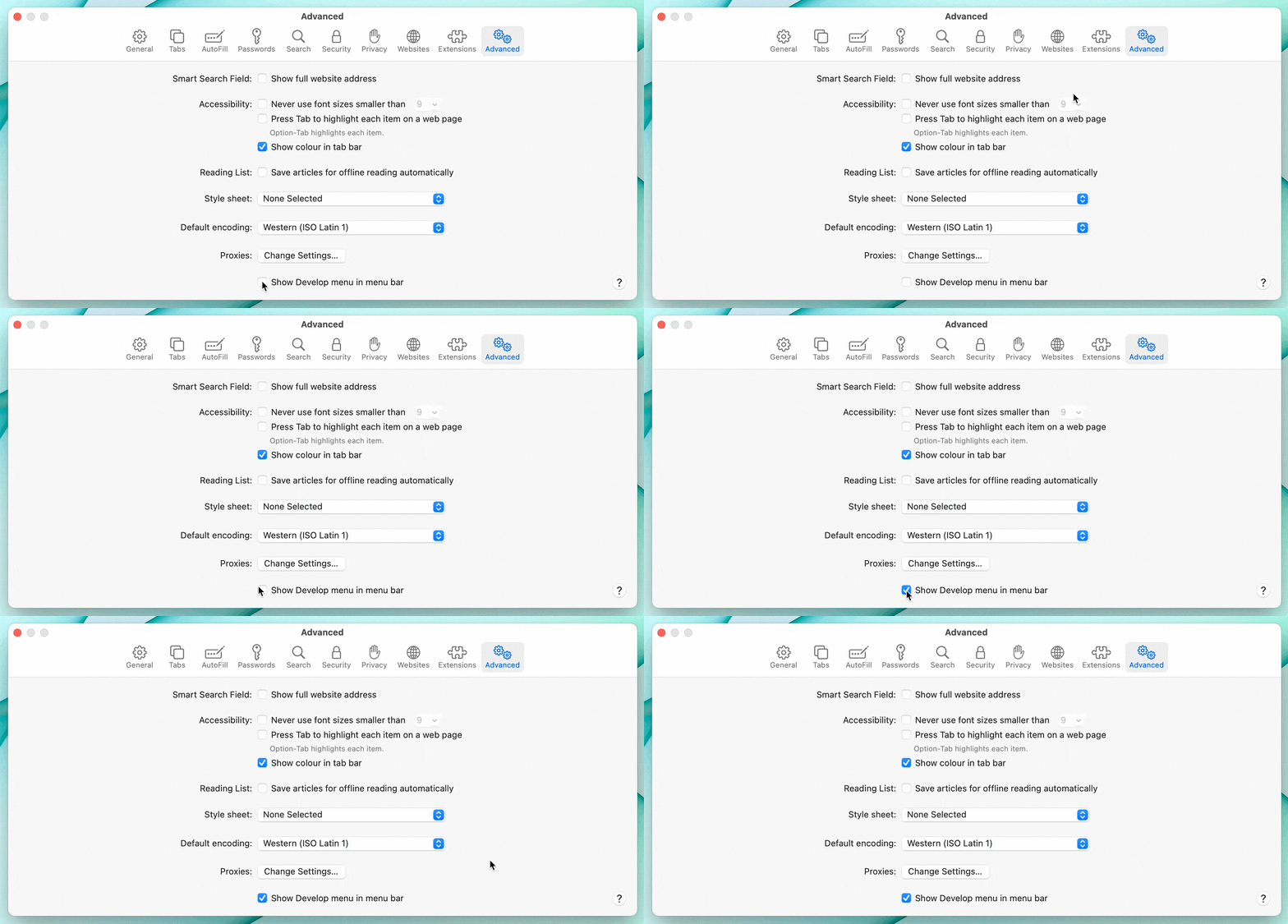
At present you can access developer tools directly from Safari, which allow you lot inspect websites, empty caches, and most importantly simulate a diversity of other browsers right through the Safari app. To use Microsoft Border or Cyberspace Explorer on Mac:
- Get to the Develop bill of fare in Safari'south carte du jour bar
- Navigate to User Amanuensis and select the browser you're looking for, whether it'due south Microsoft Border, whatsoever of the Internet Explorer versions, Google Chrome, Firefox, etc.
- The website you're on will be automatically refreshed to reverberate the browser of your choice. Just don't forget to switch back.
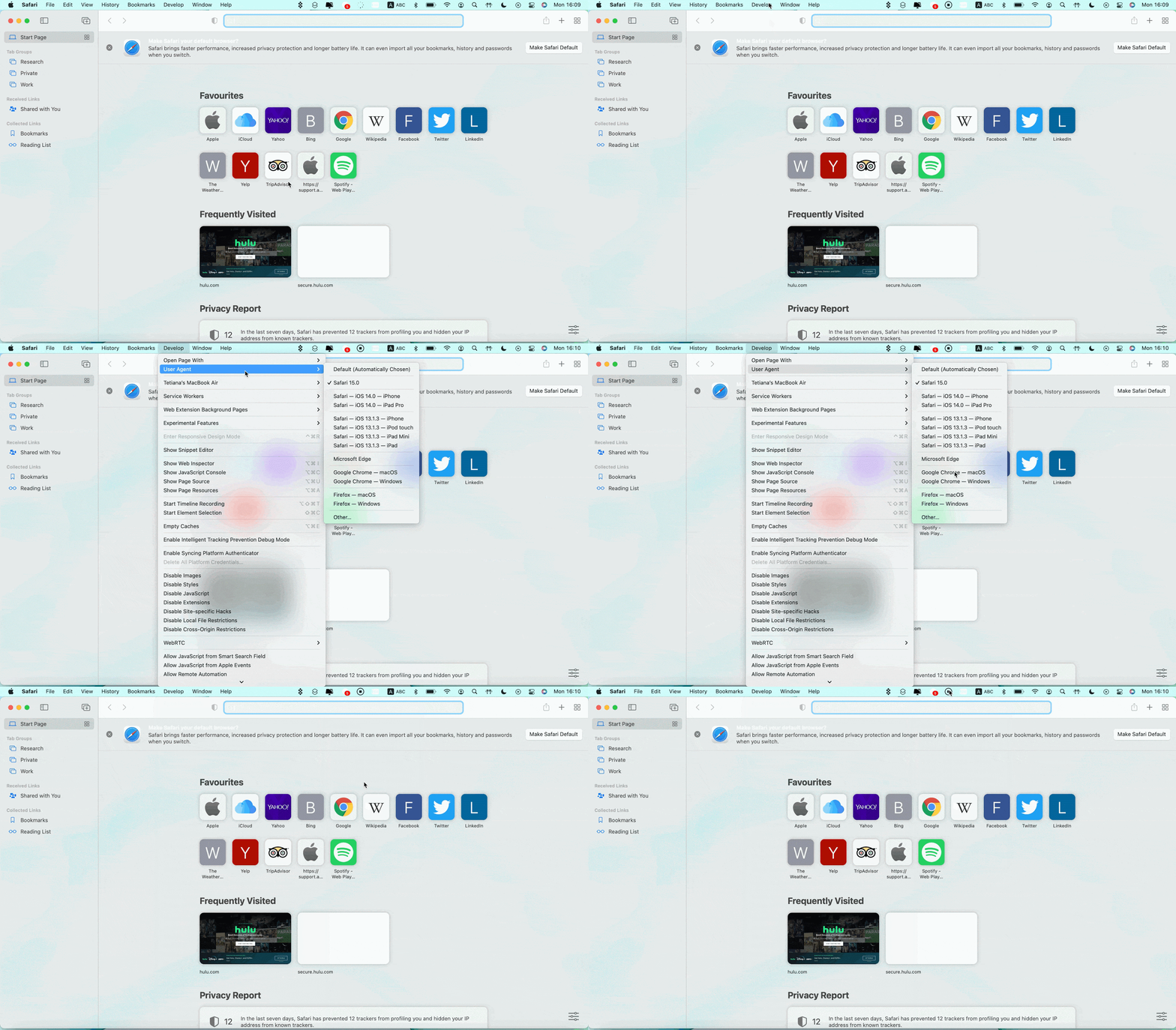
The User Amanuensis option in Safari should cover nearly all reasons for using Internet Explorer on Mac. However, if yous practise absolutely need to launch Internet Explorer itself for one reason or another, you could likewise try doing it with the help of a virtual auto.
Launch Internet Explorer on a virtual machine
While using a virtual car for Internet Explorer is non by any means an like shooting fish in a barrel solution, it'south withal there for anyone who needs information technology. What virtual automobile essentially does is installing a total-scale copy of Windows on your Mac and letting yous launch it as an app inside the macOS. From there you can launch Net Explorer or, in fact, whatsoever program you miss from your Windows days.
How to run Windows on Intel Macs
To set upwards virtual machine, first you need to purchase a copy of some virtual automobile software (VMware Fusion is a skilful one for Intel-based Macs) and a license for Windows. Once y'all have those in identify:
- Download both VMware fusion and the Windows ISO file
- Launch VMware Fusion
- In the Installation Method window, choose "Create a new custom virtual machine"
- Drag and driblet your Windows ISO file onto the dialogue window
- Click Cease
- Relaunch the virtual auto and click the play push button to setup Windows
How to run Windows on M1 Macs
If you take a newer M1 Mac, the only selection to install Windows and so far is with Parallels Desktop sixteen and Windows 10 for ARM:
- Download Parallels Desktop 16 for Mac
- Register as a Windows Insider and download Windows 10 on Microsoft'southward website
- Open Windows 10 .VHDX file in Parallels and follow the instructions to set upward virtual auto
- Install Windows 10
- Log in your Parallels account and complete the Windows update.
Now every time yous need to use Cyberspace Explorer on Mac, you can just launch the virtual auto and use IE directly with Windows that mode.
There are certainly a few downsides to this solution. First, you have to purchase both VMware Fusion or Parallels and a licensed copy of Windows for the sole purpose of using Internet Explorer. Second, virtual machines tend to be quite heavy on your processor, as they are running the whole operating system inside them.
Another option available to you in case you don't specifically demand to use IE for Mac merely rather move away from Safari is to switch to whatsoever other third-party browser, or — even improve — fix custom browser rules with OpenIn.
Utilize tertiary-party browsers on Mac
If Safari is not your commencement browser of choice and using Internet Explorer for Mac is at the very least quite complicated, you can download any other stable and widely used browser out at that place and make it the default 1 on your macOS.
Google Chrome
By far the almost ascendant browser of today, Google Chrome currently commands 45–65% browser market place share. Adult by Google, the browser is bachelor on both desktop and mobile devices, and thus boasts a significant corporeality of plugins and spider web apps that are sectional to it. Chrome has likewise been praised for its speed and tight integration with all other Google products. As for the downsides, using Chrome ways existence subjected to Google's pervading tracking and helping Google to finer monopolize the web.
Firefox
Firefox is another great everyday browser. Heir to the starting time commercial web browser called Netscape, it's an open up-source programme owned by the not-for-profit Mozilla Foundation. Firefox is fast, secure, and boasts a supportive community effectually the earth. All of this makes it a great alternative to Safari and Internet Explorer.
Brave
Brave is a newcomer to the browser arena that first appear only in 2015. Based on the open-source Chromium projection (every bit is Google Chrome), the browser speedily gained a loyal following due to its aggressive privacy controls and adblocking. Turning Brave into your default browser might seem a flake experimental at this bespeak, but information technology withal presents a skilful pick for anyone concerned with privacy.
Microsoft Edge
In early 2020, Microsoft released Edge for macOS, which runs on Chromium (same as Google Chrome and Brave). And in spring 2021, vertical tabs were added to Edge for Mac — 1 of the universally loved features you might as well desire to effort. Not to mention that Windows users will just find Border more than familiar and easier to use than other browsers.
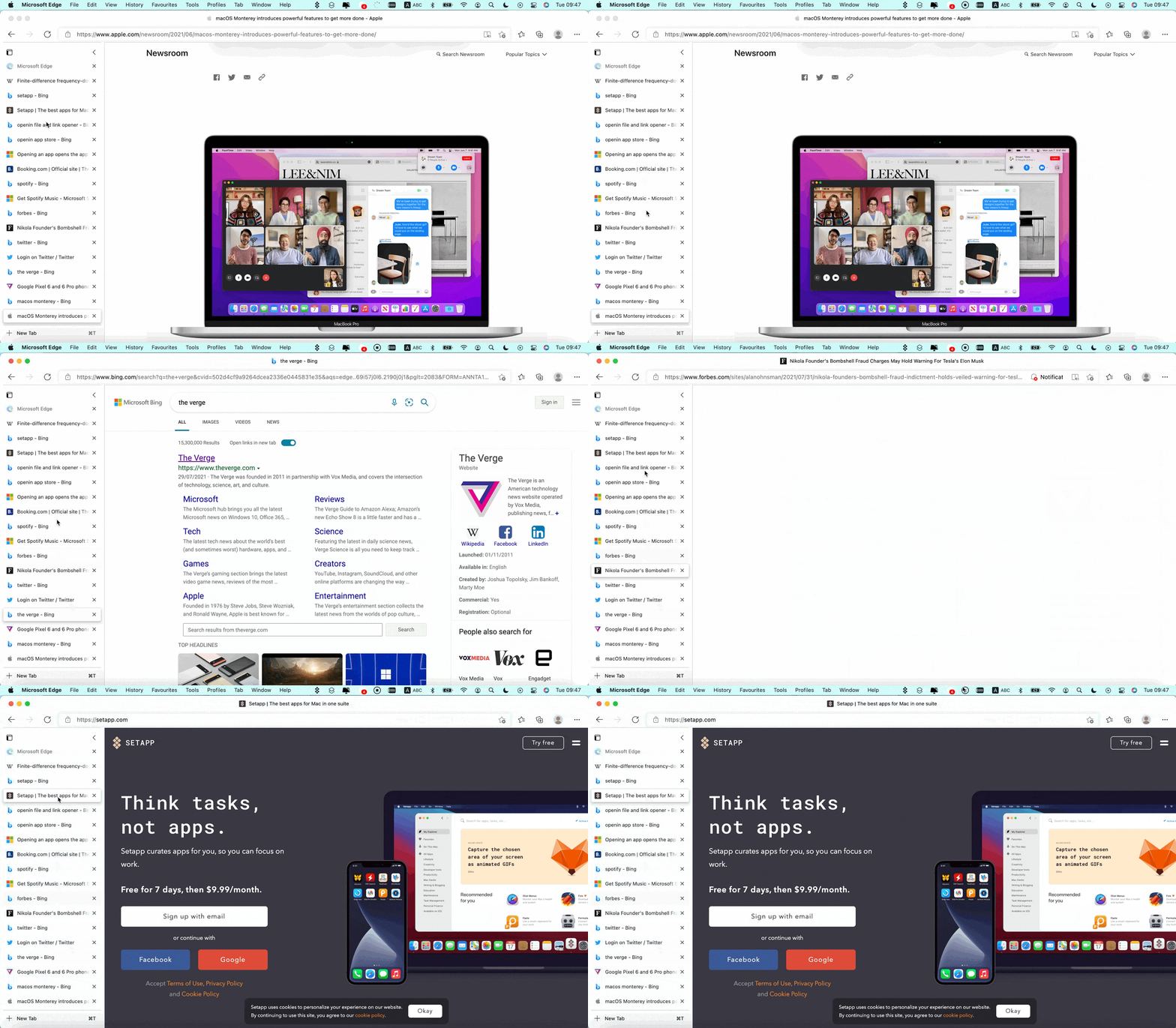
Overall, these are your iii options of running Cyberspace Explorer on Mac. You can utilise Safari's User Agent to view whatever webpage just as Internet Explorer would, launch the actual Internet Explorer browser through a virtual machine running Windows, or cull one of the alternative browsers if all y'all want to do is get abroad from Safari on Mac.
Or, y'all tin can go the best out of every browser with OpenIn.
Utilize multiple browsers with OpenIn
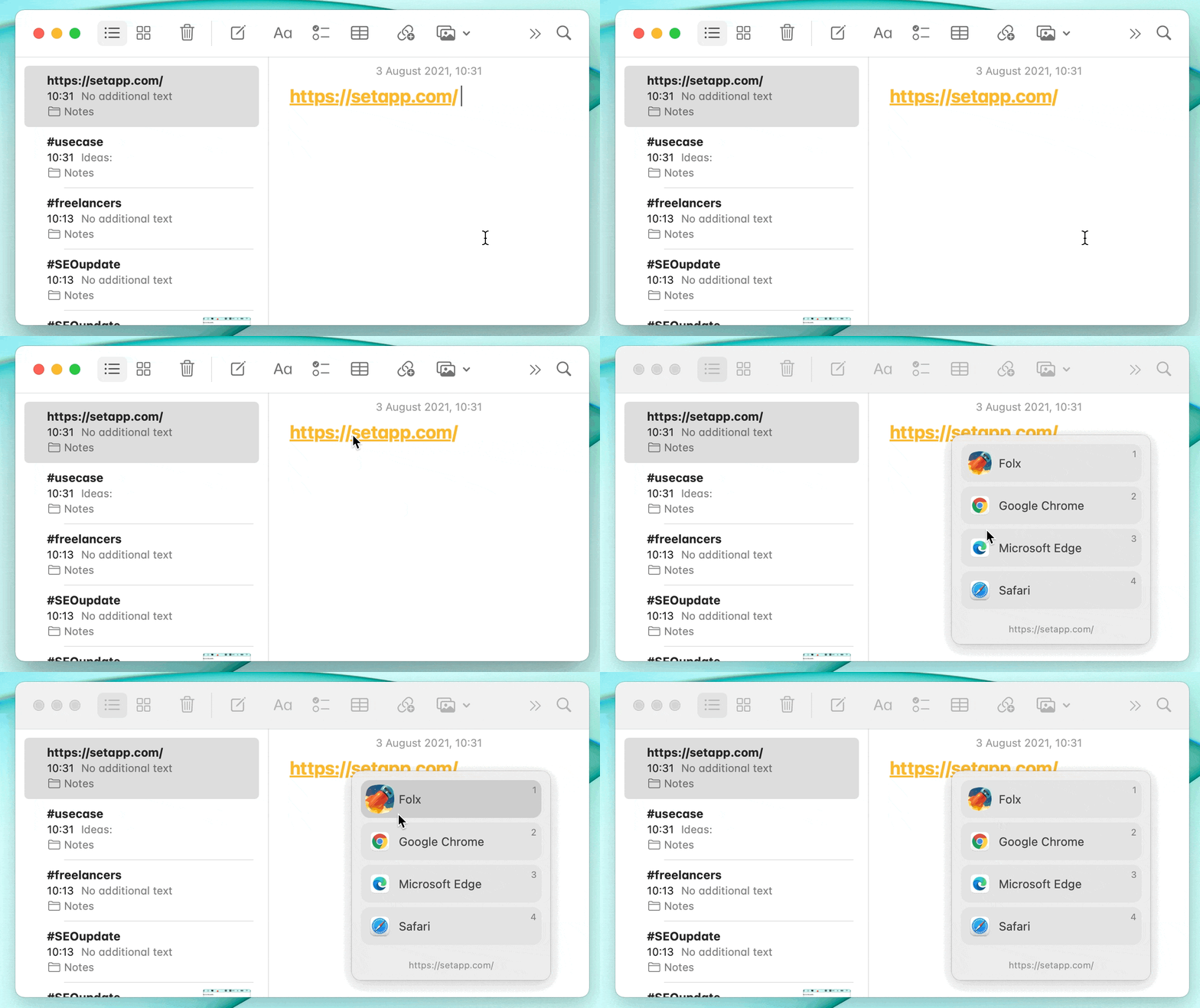
OpenIn is a smart file and link opener for Mac. It helps you set a workspace where y'all can use as many browsers equally y'all want to work faster and more productively. Substantially, information technology learns in what browser you desire to open specific types of files or mailto links. And if y'all want to have a choice, OpenIn will bear witness you a selector listing with the bachelor browsers when you click a link.
Let's say you like vertical tabs in Border and want to use it for when yous need to open up multiple sites. Chrome is best for Google-linked accounts, and if you use Gmail, it totally makes sense to apply Chrome for mailto links. Safari is fast and private (especially with the new Private Relay and Hide My Email features on macOS 12). OpenIn lets you utilize all of them, without turning your workflow into a mess.
In that location are 2 ways to use OpenIn:
-
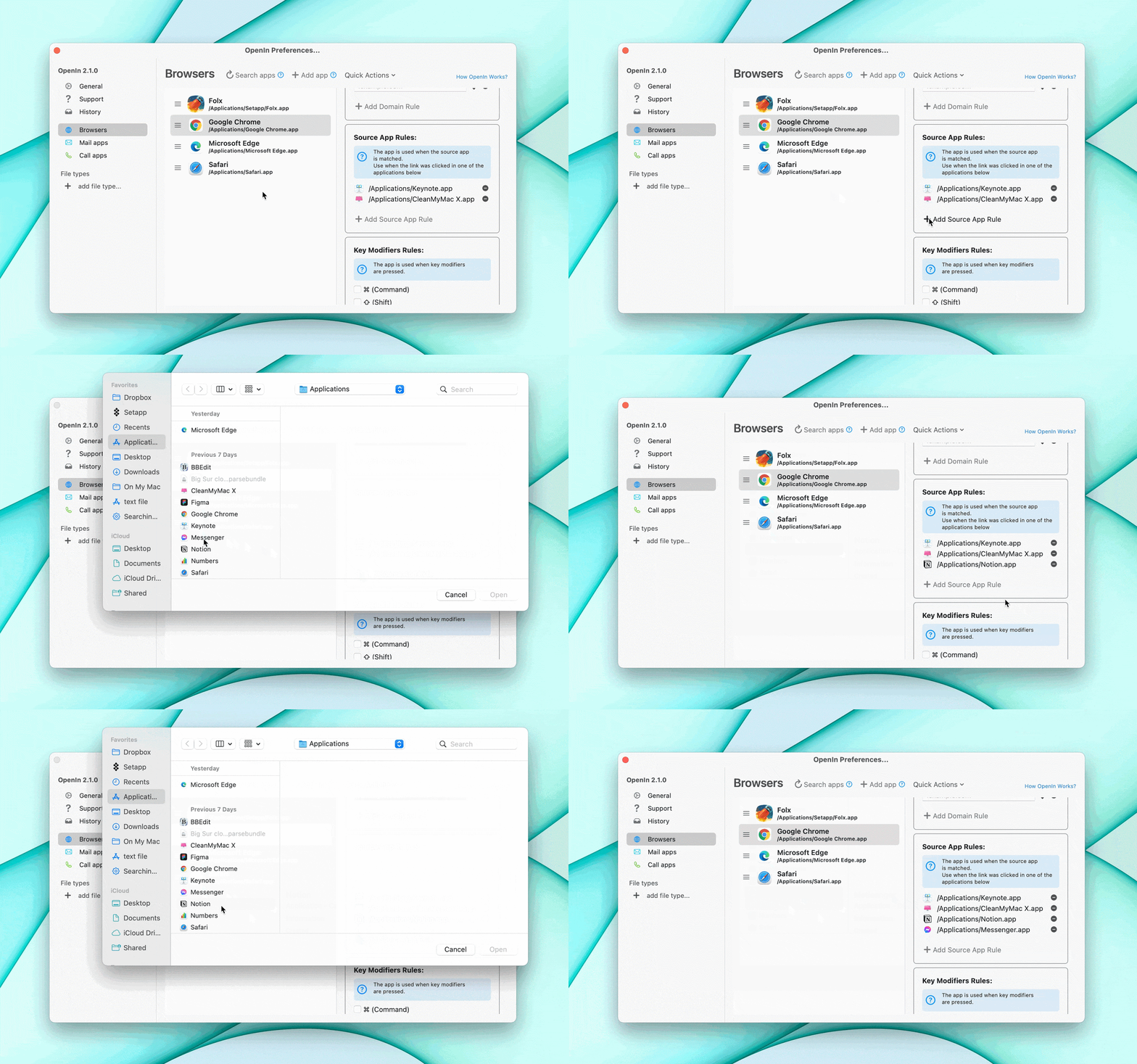
Make OpenIn your default browser — and then you lot tin always cull where to open a specific link. In OpenIn Preferences, go to Browsers. You'll see a alert saying OpenIn is not your default browser. Click "Fix it." That'south information technology, you'll now meet a browser selector list when clicking links.
-
Specify rules for every browser. If you practise this, OpenIn will know which of your browsers should open mailto links, which one should open up specific domains, etc. In OpenIn Preferences > Browsers, click a browser (let'due south say, Chrome) > Utilise 'only for rules' or 'by default and rules' > specify the rules. The rules can exist certain domains, source apps, etc. That's how you make your whole menstruum personalised.
Nevertheless, if you're new to Mac, a browser might not be the but thing y'all're concerned about. You also need to notice apps to comprehend all kinds of bug related to optimization, organization, security, and productivity.
Essential apps for all new Mac owners
As before long every bit you switch from PC to Mac, y'all realize that sadly not all apps yous loved and used daily are available on macOS. And so naturally you lot demand to find suitable alternatives. The good news is Mac has an abundance of slap-up apps for everything you need. But how exercise you choose and decide which ones are worth your time?
That's where a platform like Setapp becomes indispensable. Setapp is a productivity suite of 230+ apps for Mac and iPhone. All apps are automatically updated to their latest versions and new apps are added regularly. It's a godsend for new and seasoned Mac users alike. Discover new apps that are the best at what they do.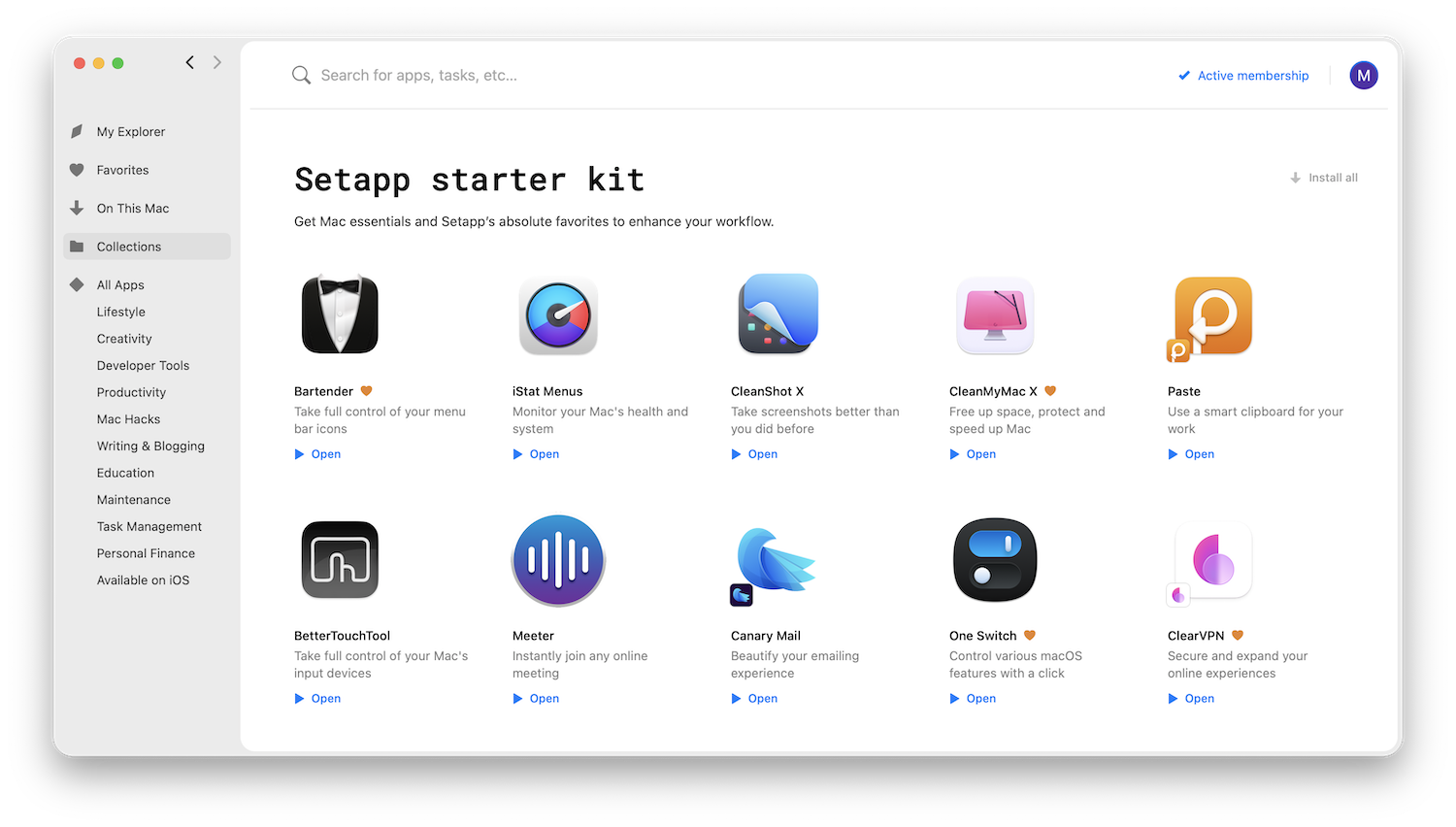
Here is an essential introductory set of some of the apps featured on Setapp that every new Mac user should have.
Bartender
A lightweight utility performing a vital role, Bartender keeps your menu bar make clean and tidy. As you use your Mac more and more than, every new app would want to be featured in your menu bar (top-correct corner). This quickly becomes unsustainable, and instead of a quick admission to the apps you need, you'll spend more time but trying to notice the right ane.
Mac's default organisation settings for card bar are quite basic, simply assuasive you to reshuffle icons. Bartender lets you hide them under a unmarried icon and feature just those yous need to use right at the moment.
Ulysses
Lauded as the best writing tool for years, Ulysses features a make clean interface and lets you lot focus on the writing process, whether it's for simple notes, speeches, or anything in betwixt. The app'south Markdown support makes it web friendly, assuasive straight exports to WordPress and Medium. Plus, yous get features similar writing goals and grammar check, helping you hone your writing skills and habits.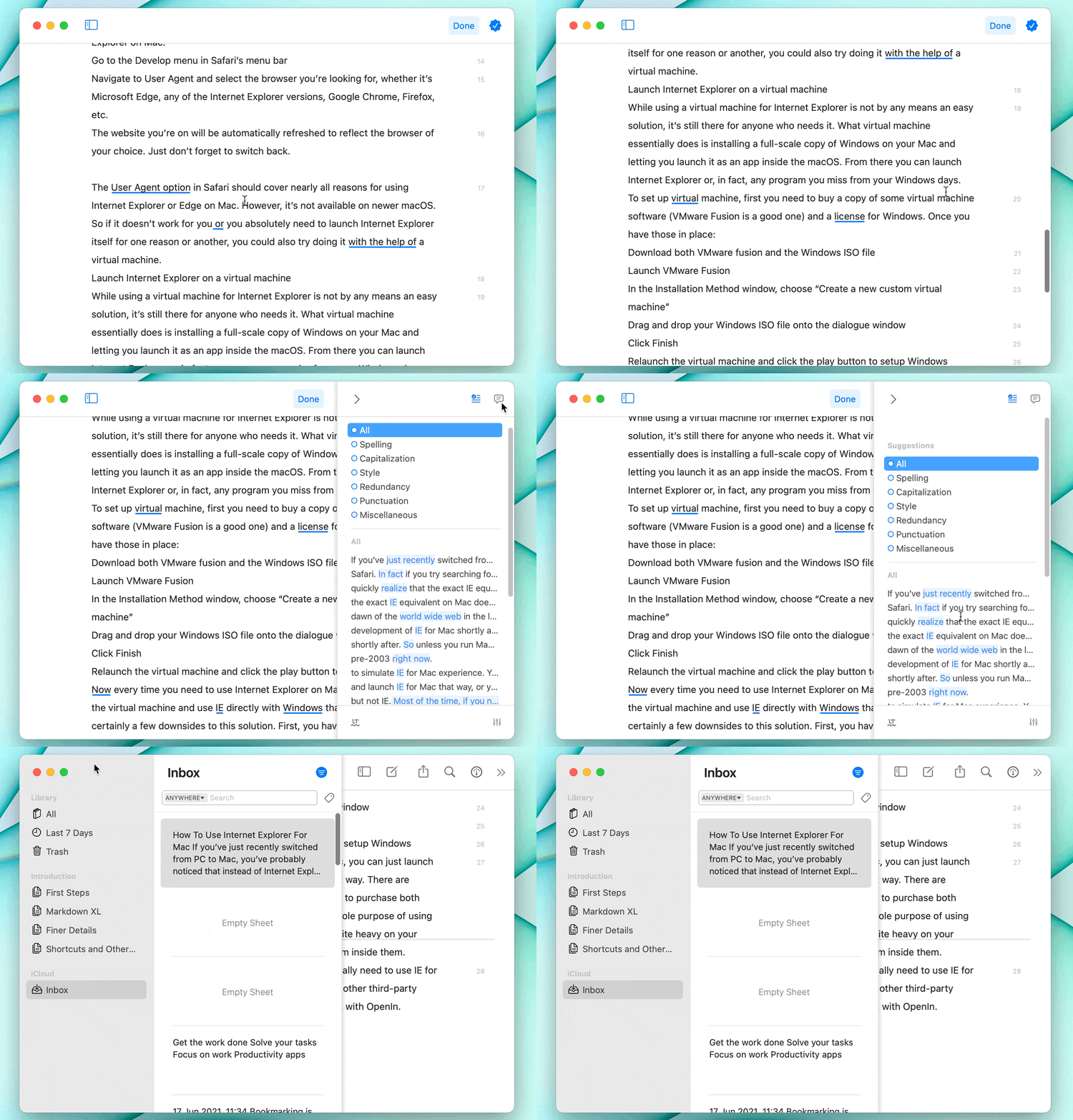
Disk Drill
No one always wants to lose their files, no matter whether it's due to physical damage or accidental deletion. Deejay Drill solves that problem by substantially insuring and giving you the selection to recover your files. As the nigh widely used data recovery tool around, Disk Drill helps yous back your files on a regular basis and save lost files from damaged difficult drives if things ever become south.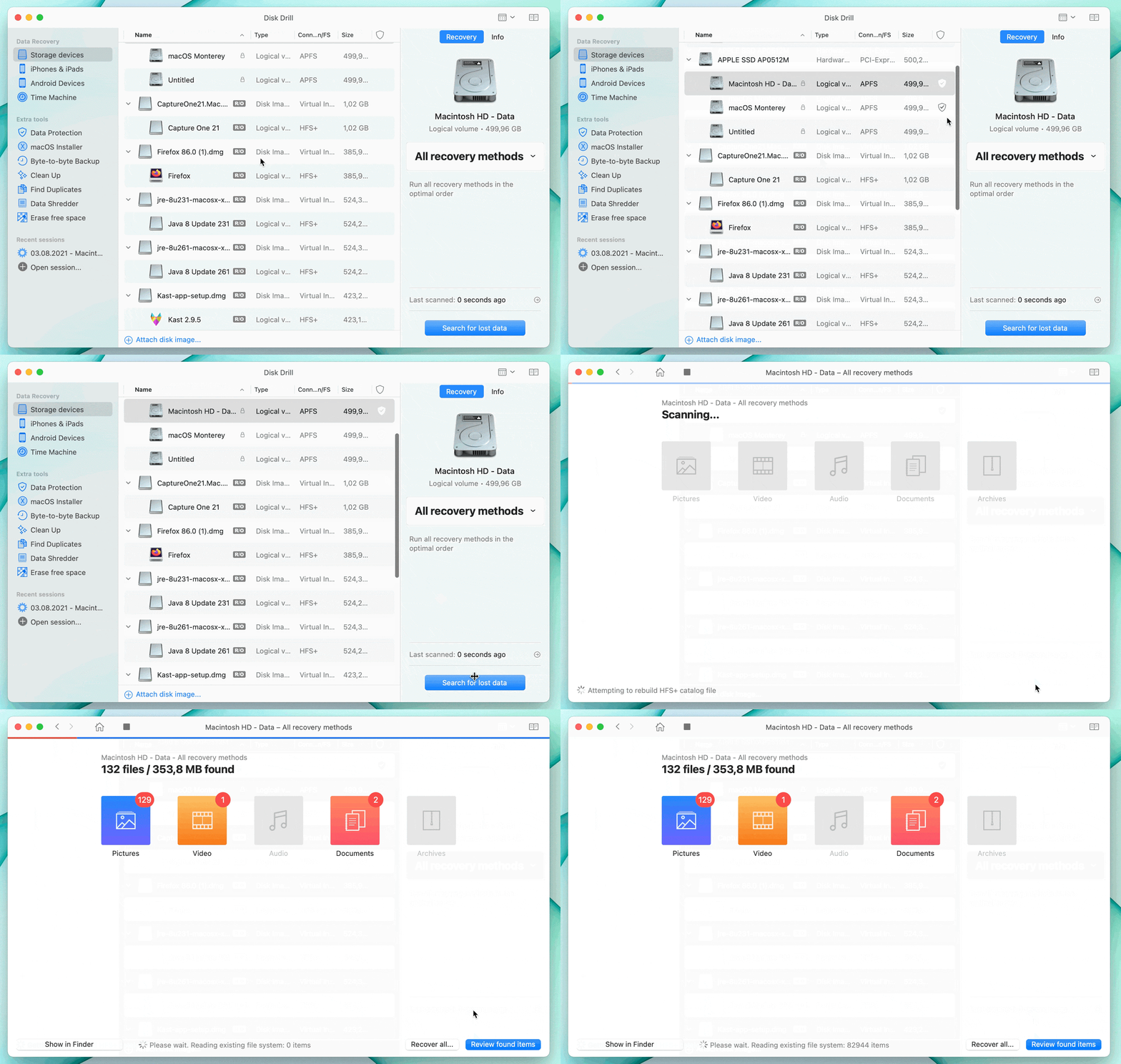
CleanMyMac X
The ultimate Mac optimization app, CleanMyMac Ten keeps your Mac free of any junk, safely and completely uninstalls old apps, and protects you from being afflicted by malware. But launch CleanMyMac X once a month to do a consummate browse of your computer and yous'll ensure your Mac'due south top condition.

Best of all, OpenIn, Bartender, Ulysses, Disk Drill, CleanMyMac X, and all other apps featured on Setapp are available to you lot on a gratis trial. Just launch Setapp and endeavor out every bit many apps as yous desire, turning your transition to Mac from a task to a pleasurable discovery.
FAQ nigh Net Explorer for Mac
How to download Internet Explorer for Mac
If you want to know how to access Cyberspace Explorer on Mac, you should either consider simulating it through Safari on macOS Mojave or older versions, install Windows on Mac with a virtual auto, or else find an culling browser, because Cyberspace Explorer is non natively available on Mac.
Can you install Internet Explorer on Mac?
Unfortunately, there's no way to direct download and install Net Explorer on Mac. However, in that location's an option to install Windows on your Mac with a virtual machine, and then install and employ Internet Explorer, merely equally you lot'd do on a Windows calculator. You tin also simulate Windows browser on Mac through Safari, simply it's only possible on macOS Mojave and older versions.
What is the best culling to Internet Explorer for Mac?
The best options are Safari, Chrome, and Firefox — all of them can ensure fast and stable performance, and all can be used for complimentary. Safari is believed to be faster and more than secure for Mac users, Chrome has the best power features and integration with Google, and Firefox is light on memory usage. Y'all tin equally well apply multiple browsers for different tasks with OpenIn.
Why Internet Explorer is not for Mac
Although many are wondering why there's no Internet Explorer for Apple devices, it totally makes sense. Internet Explorer is a native browser developed past Microsoft, which comes pre-installed on Windows computers. Merely as Safari, information technology's been specifically designed to work on a certain operating arrangement — in this case, Windows — and can't exist installed on third-party Bone.
Internet Explorer 6 for Mac Free Download
Posted by: chrismanplents.blogspot.com

